
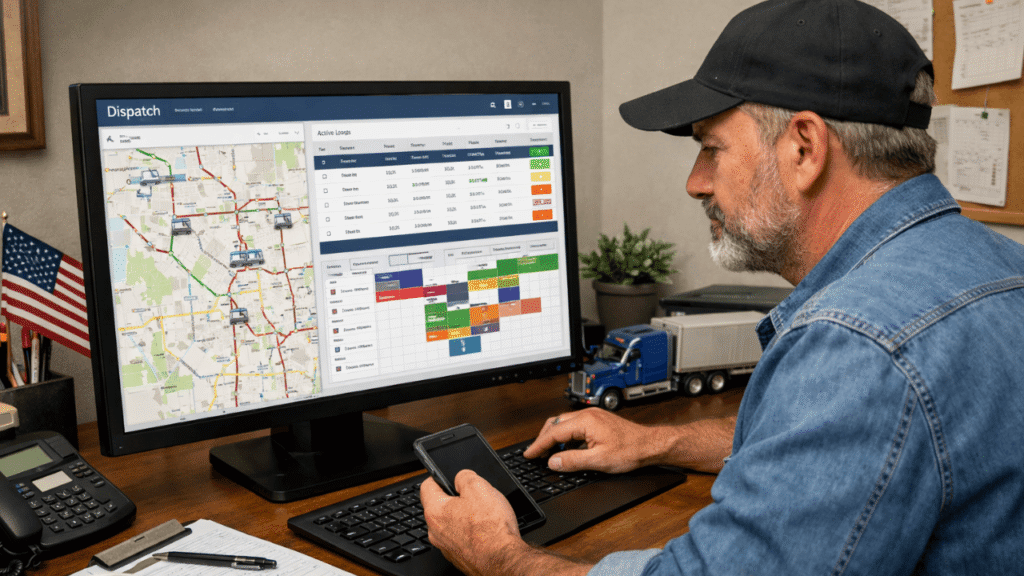
Starting a trucking business is hard enough. The last thing you need is software that requires a two-week training course to enter a load. When you’re new to trucking, dispatch software can feel like overkill. You’ve got one truck, maybe two. You’re texting your driver. You’ve got a spreadsheet somewhere. That works, until it doesn’t. A missed delivery, a lost bill of lading, a driver who didn’t know the pickup window changed, those mistakes cost real money. Good dispatch software prevents exactly those problems, even when you’re small.
This guide breaks down the best dispatch software for newcomers, what to look for, which platforms won’t make your head spin, and how to avoid paying for features you’ll never use.
Table of Contents
What Is Dispatch Software and Why Do You Need It?
Dispatch software is a digital hub where you can do all of these things in one place: assign loads to drivers, keep track of truck locations, handle paperwork, and communicate with each other, instead of using four different apps and a whiteboard.
This is how you can think about it: every time you text a driver load details, type in a pickup address twice, or look for a bill of lading that got lost in someone’s cab, you’re doing work that the software should be doing for you. Load management software takes care of that repetitive data entry for you, so you can focus on finding loads that pay better and keeping drivers on the road.
For a beginner, the main benefits are:
- You stop entering the same load data in multiple places
- Drivers know their schedule without constant phone calls
- You can pull invoices and delivery records quickly
- You look more professional to brokers and shippers from day one
What to Look for as a Beginner
Don’t get dazzled by feature lists. Enterprise TMS systems built for 500-truck fleets will overwhelm you and drain your budget. As a beginner, focus on these five things:
1. Easy Setup (Days, Not Months)
If the software takes longer than a week to get running, move on. Beginner-friendly platforms are designed to be turnkey, enter your trucks, add a driver, and start dispatching. No IT department required.
2. Mobile App for Drivers
Your driver shouldn’t need to call you to find out where they’re going. Good trucking apps let drivers view load details, scan BOLs, send status updates, and confirm deliveries, all from their phone.
3. Load Tracking in Real Time
Know where every load is without making check calls. Real-time tracking also gives your customers something they love: visibility. That alone can set you apart from competitors still running on phone calls.
4. Simple Invoicing
Many beginners delay invoicing because it’s tedious. Good dispatch software generates invoices automatically when a load is marked delivered, which means you get paid faster.
5. Honest Pricing
Watch for per-truck pricing models. A tool priced at $15/truck/month sounds cheap at two trucks, but at 10 trucks, you’re paying $150/month for the same functionality. Understand the pricing ceiling before you commit.
Best Dispatch Software for Trucking Beginners
Here are four platforms that consistently come up when small carriers and first-time owner-operators look for the best dispatch software for trucking beginners. Each one is built to handle the chaos of early-stage operations without requiring a logistics degree to figure out.
Truckbase
Truckbase is a modern, easy-to-use dispatch software designed for small to mid-sized carriers. It combines dispatching, invoicing, and reporting into a single, clean dashboard.
| Pros: | Cons: |
| – Very beginner-friendly interface – Quick setup (no long training needed) – Strong integrations (QuickBooks, ELDs) | – Limited advanced features for large fleets – No native mobile app (web-based only) |
TruckLogics
TruckLogics is one of the most complete entry-level logistics software options for trucking beginners who want everything in one place. You get FTL and LTL dispatch, driver settlements, trip sheets, mobile check calls, and IFTA reporting, plus a solid mobile app for drivers. It’s a step up in complexity from TruckingOffice, but still very manageable for someone new to the industry.
| Pros: | Cons: |
| – Handles FTL and LTL dispatching – Driver mobile app included – Fuel optimization and route planning – Free trial available | – Slightly steeper learning curve than Connecteam – Some integrations cost extra |
ITS Dispatch (Truckstop)
A full transportation management system (TMS) that includes dispatch, invoicing, and compliance tools in one platform.
| Pros: | Cons: |
| – Strong industry reputation – Built-in IFTA reporting and billing – Good for both brokers and carriers | – Limited integrations – Slight learning curve for beginners |
Upper
Upper focuses on route optimization and automation, making it a great dispatch software for beginners who want smarter routing.
| Pros: | Cons: |
| – Excellent route planning – Easy-to-use interface – Real-time tracking | – Limited trucking-specific features – Not a full TMS |
Samsara
Samsara is a powerful fleet management platform that combines dispatching, GPS tracking, and safety tools.
| Pros: | Cons: |
| – Advanced tracking and telematics – AI-powered insights – Scalable for growth | – Higher cost – More complex for beginners |
Onfleet
Onfleet is designed for last-mile delivery operations, offering real-time tracking and communication tools.
| Pros: | Cons: |
| – Strong mobile app – Proof of delivery features – Customer notifications | – Expensive for small fleets – Not ideal for long-haul trucking |
Connecteam
(Free for ≤10 Users) If you’re running a small team and your budget is tight, Connecteam is the easiest way to get started. It’s free for businesses with up to 10 employees, covers load scheduling, GPS tracking, and driver communication, all from a clean mobile interface. It’s not a heavy-duty TMS, but for a beginner dispatching a handful of trucks, it’s genuinely enough to get organized.
| Pros: | Cons: |
| – 100% free for small teams – Fast to set up and learn – Strong mobile experience – Real-time GPS included | – Not trucking-specific – Limited IFTA and accounting features – Grows expensive beyond 10 users |
Rose Rocket
Rose Rocket is a modern cloud-based dispatch software with strong integrations and customer portals.
| Pros: | Cons: |
| – Clean, modern UI – Customer self-service portal – Integrates with many tools | – Custom pricing (can be expensive) – May require onboarding support |
TruckingOffice
Built by a fleet owner for fleet owners, TruckingOffice was specifically designed for small carriers who need dispatch, invoicing, IFTA reporting, and maintenance scheduling without paying enterprise prices. It’s not the flashiest interface you’ll ever use, but it covers the fundamentals that matter most in your first year.
| Pros: | Cons: |
| – Built specifically for small trucking – IFTA reporting included – Affordable tiered pricing – Covers dispatch and accounting basics | – Older interface, not the most modern – Limited automation features |
Axon Trucking Software
Axon is an accounting-heavy system that also includes dispatch and fleet management tools.
| Pros: | Cons: |
| – Strong financial and payroll features – Good for growing fleets – All-in-one system | – Outdated interface – Longer learning curve |
McLeod Software
McLeod is an enterprise-level TMS with advanced dispatch, analytics, and optimization tools for large fleets.
| Pros: | Cons: |
| – Highly scalable – Advanced reporting and automation – Full TMS capabilities | – Expensive – Not beginner-friendly |
Comparison Table
| Software Name | Best for | Key Features | Starting Price | Free Trial | Truck Features |
| Truckbase | Small fleets | Dispatch, invoicing, integrations | ~$195/month | Yes | Load tracking, driver assignment |
| TruckLogics | Owner-Operators | Dispatch + accounting + mobile app | $7.95/month | Yes | Fuel tracking, driver logs |
| ITS Dispatch | Beginners (TMS) | Load mgmt, invoicing, IFTA | $50/month | Yes | Driver app, compliance tools |
| Upper | Route optimization | Smart routing, automation | ~$40/month | Yes | Route planning, tracking |
| Samsara | Fleet tracking | GPS, AI analytics, safety | Custom | Yes | Real-time fleet monitoring |
| Onfleet | Last-mile delivery | Tracking, notifications | ~$500/month | Yes | Real-time fleet monitoring |
| Connecteam | Small teams | Scheduling, communication | Free plan | Yes | GPS tracking, time tracking |
| Rose Rocket | Accounting-focused | Dispatch + customer portal | Custom | Demo | Financial + fleet tools |
| Axon | Accounting-focused | Dispatch + payroll + finance | Custom | Demo | Financial + fleet tools |
| McLeod | Enterprise fleets | Full TMS, analytics | Custom | Demo | Advanced optimization |
5 Tips Before You Sign Up for Anything
- Don’t pay for what you can’t use yet. A $300/month enterprise platform with AI optimization is wasted on a two-truck operation. Start simple and upgrade when you’ve outgrown your current tool.
- Check QuickBooks integration. Most small carriers use QuickBooks for accounting. Make sure your dispatch software connects to it natively, otherwise you’ll be entering the same numbers in two places.
- Test the mobile app yourself. Download it. Pretend you’re a driver. If it’s confusing to you, it’ll be confusing to your drivers, and they’ll call you instead of using it.
- Ask about ELD compatibility. If you’re already using an ELD device, confirm your software integrates with it before signing up. Switching ELDs mid-operation is a headache you don’t want.
- Read the cancellation policy. Some platforms lock you into annual contracts. Look for month-to-month options while you’re still figuring out what works for your operation.
Ready to simplify your operations with the right dispatch software?
You don’t have to worry about choosing your first dispatch software. Choose a tool that fits your current needs, learn how to use it well, and let it grow with your business. The right platform will save you hours of work every week, cut down on expensive mistakes, and make your business look more professional to brokers and shippers right away.
If you’re just starting out and keeping an eye on every dollar, Connecteam is hard to beat for free. TruckLogics and TruckingOffice are both good, cheap options if you want something that is made just for trucking from the start. And if you want to grow quickly, buy Truckbase early on. It’ll save you from having to move to a new platform later.
The best dispatch software is the one that doesn’t get in your way and lets you do what makes you money: moving freight.
Visit welocity.ca, call +1 905-901-1601, or email info@welocity.ca, to explore smart, easy-to-use solutions designed to help your trucking business grow faster and operate more efficiently.