
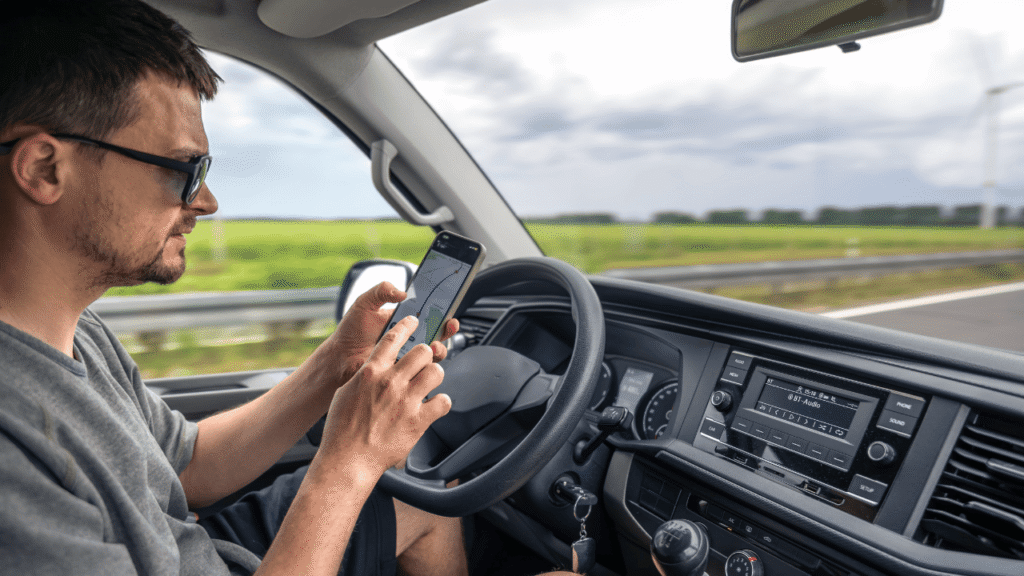
If your drivers already spend a lot of time on their phones (and let’s be honest, most of them do), it makes sense to ask why they shouldn’t use that same device to log. That’s why smartphone ELD solutions are so popular, especially for small fleets, owner-operators, and businesses that want a simpler setup without having to put a big screen on every dash.
But here’s the thing: not all smartphone ELD solutions are the same. Some are smooth and work well. Others become a daily headache, with sync problems, missing data, angry drivers, and more work for your office. This guide will help you learn how they work, what to look out for, and how to choose a system that your team will actually use.
Table of Contents
Best Smartphone ELD Apps For Truckers
What “Smartphone ELD” really means
Most smartphone ELD solutions have two parts:
- A small hardware plug-in that connects to the truck
- An app on the driver’s phone that handles the logging screens
That’s why the “app” matters so much. If the interface is confusing or slow, drivers will struggle, no matter how good the hardware is. When evaluating smartphone ELD solutions, focus on daily use first: logging in, changing duty status, certifying, and showing logs during an inspection.
How Smartphone ELD Solutions Work With ECM
A common question is whether the phone is “guessing” driving time. It shouldn’t. Legit smartphone ELD solutions rely on a connection to the vehicle to capture motion-related data consistently. That connection is usually through the truck’s engine data source and feeds the app what it needs to build accurate duty status records.
What makes a smartphone ELD app “good”
When people ask about the best smartphone ELD apps for truckers, it usually comes down to a few practical things:
- The app makes duty status changes quick and obvious
- The system handles connection drops gracefully (and recovers cleanly)
- Drivers can annotate exceptions without digging through menus
- The inspection view is easy to find and use
- The app doesn’t drain the phone battery like crazy
If any of those fall apart, smartphone ELD solutions stop feeling convenient and start feeling risky.
Pros of Smartphone ELD Solutions
Lower upfront cost and faster rollout
For many fleets, the appeal is simple: smartphone ELD solutions can be cheaper to deploy and easier to install than full in-cab setups. You’re not buying a dedicated screen for every unit, and drivers already understand phones.
Easier updates and a familiar interface
Apps update regularly, and most drivers are already comfortable navigating a phone. That can shorten training time, if the app is well designed.
Flexible for mixed operations
If you run a combination of trucks or have seasonal drivers, smartphone ELD solutions can make onboarding simpler because the login travels with the driver.
Cons and Real-World Pitfalls to Watch
Phone-related issues become compliance issues
Here’s the part fleets underestimate: if the phone dies, gets lost, or breaks, your logging routine can fall apart. With smartphone ELD solutions, you need a simple plan for charging, backups, and “what happens if the driver’s phone isn’t usable today.”
Distractions and inconsistent setup
A phone is a personal device. Notifications, calls, and other apps can create distractions or interruptions. The best practice is to set expectations and keep the ELD app “work only” during duty time.
Connection reliability matters more than you think
Some operations run through low-signal areas or have frequent truck swaps. If the connection drops often and the app doesn’t handle it cleanly, smartphone ELD solutions can create messy logs and extra edits.
What to Look for Before You Commit
If you want smartphone ELD solutions that can handle real dispatch pressure, pay attention to these buying points:
- Driver experience: Is it possible for a driver to learn it in one short session?
- Office tools: Can your team quickly look over logs, find problems, and give advice?
- Ready for inspection: Can the driver quickly get what an officer needs?
- Training materials: Does the provider give you clear instructions and updates?
- Support response: Do you get real help quickly when something goes wrong?
A good pilot beats a shiny demo every time. Test your smartphone ELD solutions on real routes with real drivers, including the messy days, detention, swaps, late nights, and low-signal stretches.
Are Smartphone ELD Solutions Right for You?
Smartphone ELD solutions can be a smart move if you choose a reliable system, train drivers with real scenarios, and set up a basic backup plan for phone issues. When done right, smartphone ELD solutions keep logging simple, speed up onboarding, and reduce hardware costs. When done wrong, they create daily frustration and compliance risk.
Need Help Choosing and Rolling Out a Smartphone ELD Setup?
Reach out to us at welocity.ca, call 905-901-1601, or email info@welocity.ca if you need any trucking-related services. Whether it is ELD setup, compliance training, or vehicle inspections, we have you covered.