
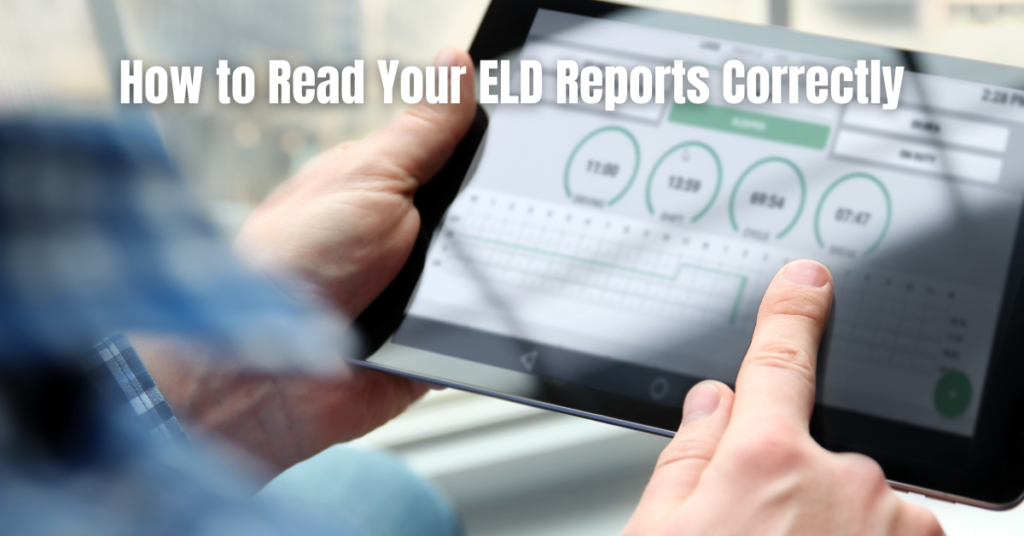
Electronic Logging Device (ELD) reports are more than simple digital logs. They are legal compliance records used during roadside inspections, audits, and safety reviews. When drivers or fleet managers do not fully understand what their electronic log data shows, even small inconsistencies can quickly escalate into violations.
This guide explains ELD reporting in plain language, helping drivers and fleet managers interpret log data, identify issues early, and stay compliant with confidence.
Table of Contents
What Are ELD Reports?
ELD reports are digital records generated by an Electronic Logging Device that track a driver’s Hours of Service (HOS), vehicle movement, engine activity, and duty status changes.
These electronic log records are reviewed by enforcement officers under regulations set by the Federal Motor Carrier Safety Administration (FMCSA), operating under the U.S. Department of Transportation.
Common types of ELD-related reports include:
- Driver log reports
- ELD inspection summaries
- Compliance and audit reports
- Fleet-level electronic log data reports
Each serves a specific purpose during inspections or internal compliance reviews.
Why Understanding ELD Reports Matters
Knowing how to read and interpret ELD data helps drivers and fleets:
- Move through roadside inspections more efficiently
- Avoid HOS violations and enforcement penalties
- Detect logging errors before they escalate
- Prepare confidently for audits and reviews
Many compliance issues arise not from intentional violations, but from misinterpreting electronic log information or failing to review records regularly.
Key Sections of an ELD Report Explained
1. Driver Information
This section confirms who was operating the vehicle.
Always verify:
- Driver name and identification number
- Carrier name and DOT number
- Co-driver information, if applicable
Any mismatch or missing detail may raise questions during an inspection or compliance review.
2. Duty Status Timeline
The duty status timeline is the core of electronic logging records. It visually displays when a driver was:
- Off duty
- In the sleeper berth
- Driving
- On duty but not driving
Inspectors closely review this section to confirm compliance with Hours of Service rules and to identify inconsistencies.
3. Hours of Service Summary
The HOS summary shows how much allowable time has been used and how much remains.
Key elements include:
- Driving time accumulated
- On-duty time totals
- Remaining cycle hours
This section is where many compliance reviews uncover potential violations caused by miscalculations or improper duty status entries.
4. Vehicle and Engine Data
ELDs automatically capture operational data such as:
- Engine power status
- Vehicle miles driven
- Location information
When this data does not align with logged duty status entries, it can indicate logging errors or improper edits that may draw enforcement attention.
5. Edits and Annotations
Electronic logging rules allow edits, but all changes must be properly explained.
Watch for:
- Frequent edits without clear notes
- Driver edits rejected by the carrier
- Missing annotations explaining corrections
Unexplained or excessive edits are common triggers during inspections and audits.
How to Review Fleet ELD Data Effectively
Fleet-level compliance reports provide managers with a broader view of driver activity and regulatory risk.
Use these summaries to:
- Identify recurring Hours of Service issues
- Monitor drivers nearing violation thresholds
- Track unresolved unassigned drive time
- Confirm daily log certification
Conducting weekly reviews helps prevent small issues from becoming costly audit findings.
Common ELD Reporting Mistakes to Watch For
Some of the most frequent issues include:
- Unassigned driving time left unresolved
- Logs not certified on a daily basis
- Improper use of personal conveyance
- Yard move misuse
- Missing or inconsistent supporting documents
Catching these problems early protects both drivers and carriers from enforcement action.
Related Article: Common ELD Mistakes That Can Cost Your Fleet
FAQs: Understanding ELD Records
What is an ELD inspection report?
It is a standardized report generated during roadside inspections that displays driver logs, Hours of Service data, and vehicle activity.
How often should electronic logs be reviewed?
Drivers should review and certify logs daily. Fleets should review compliance data weekly at a minimum.
Can electronic log records be edited?
Yes, but edits must be properly annotated and accepted by the carrier to meet regulatory requirements.
Are fleet-level ELD reports required?
While not submitted daily, carriers must maintain electronic logging documentation for audits and inspections.
Read Your ELD Data With Confidence
Electronic logging systems work in your favor only when you understand how to use them. By learning how to read each section accurately, reviewing logs consistently, and addressing errors early, drivers and fleets can reduce inspection stress and remain compliant year-round.
Need Help Managing Your ELD Compliance?
If reviewing electronic log data feels overwhelming, expert support can make a significant difference. Reach out to Welocity at www.welocity.ca, call 905-901-1601, or email info@welocity.ca. Whether you need help with ELD setup, compliance training, or vehicle inspections, Welocity has you covered.