
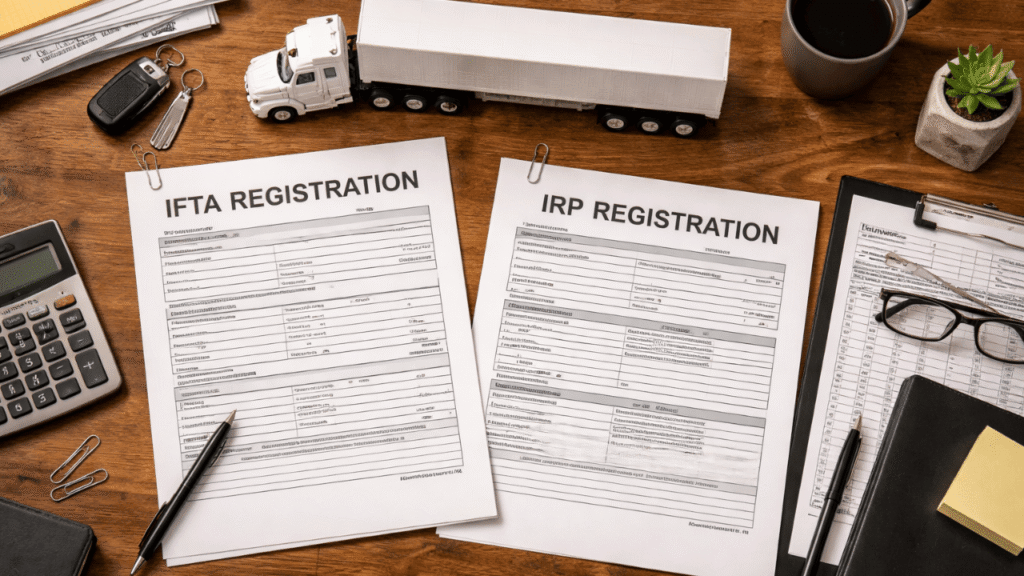
If you drive commercial trucks across state lines, you must register with IFTA and IRP. It’s the law. If you don’t do them or do them wrong, you could face fines, audits, and even lose the right to do business in more than one state.
Registering for IFTA and IRP is easy once you know what each one covers, what papers you need, and what mistakes to avoid. This guide explains the whole process in simple terms.
Table of Contents
What IFTA and IRP Actually Are
- IFTA — The International Fuel Tax Agreement covers fuel tax reporting for carriers that work in more than one state or Canadian province. You only have to file one fuel tax report with your home state every three months instead of separate reports with each state you drive through. That state then sends the taxes you owe to all the other jurisdictions based on how many miles you drive and how much gas you use.
- IRP — The International Registration Plan does the same thing for registering vehicles. You only have to register your truck once with your base state and pay a single fee split among all the states where you drive. Each state gets a cut based on how many miles you drive there.
Both agreements cover the same 48 contiguous US states and 10 Canadian provinces. If your truck crosses state lines and meets the weight or axle requirements below, you need both.
You need IFTA and IRP if your vehicle:
- Has two axles and a gross vehicle weight over 26,000 pounds
- Has three or more axles, regardless of weight
- Operates in combination with a combined weight of over 26,000 pounds
Steps for IFTA and IRP Registration
Step 1: Get Your Business Credentials in Order
Before you can complete IFTA and IRP registration, you need a few things in place. Make sure you have your USDOT number, a business EIN (or SSN for sole proprietors), vehicle titles, insurance documents, and any lease agreements if applicable.
Your USDOT number is required for both registrations. If you do not have one yet, register with the FMCSA before proceeding.
Step 2: Register for IFTA Through Your Base State
Your base state is where your trucks are registered and where your business records are maintained. Contact your base state’s motor vehicle or transportation department to apply for an IFTA license.
You will need to provide:
- Your USDOT number
- Business EIN or SSN
- Vehicle registration for each truck
- An estimate of miles driven in each state
Once approved, you will receive an IFTA license and two decals per truck. Display these decals on both sides of the cab. Driving without them can result in fines or impoundment at weigh stations.
Step 3: Apply for IRP Apportioned Plates
The IRP application process runs through your base state as well. Most states handle this through their DMV or motor carrier division.
You will generally need to:
- Confirm your business registration and EIN
- Provide your USDOT number
- Submit vehicle titles, insurance, and lease agreements
- Calculate your estimated mileage across each state you plan to operate in
- Submit the application through your base state’s IRP office
When your application is approved, you will get apportioned plates and a cab card. The cab card tells you which states you can drive through. Always have it in the truck.
Related Article: IRP Registration and Why It Matters for Trucking
IFTA and IRP Registration Without Mistakes: What to Watch Out For
This is where most new carriers run into trouble. The registration steps are not complicated, but small errors create big problems.
- Wrong vehicle details — Double-check your VIN, axle count, and registered weight before submitting. A simple typo can delay your registration and trigger penalty fees.
- Incorrect mileage estimates — estimate how many miles you will drive in each state. Underestimating to reduce fees is a mistake auditors look for. Use your planned routes to calculate honest estimates.
- Missing or inaccurate fuel receipts — For IFTA filing, every gallon matters. If you cannot account for fuel purchased in a specific state, you cannot report it accurately. Keep all fuel receipts organized by state from day one.
- Failure to update registration — If you add a truck, change your operating states, or modify routes, update your IRP registration. Outdated information leads to penalties and rejected registrations.
- Late filings — IFTA reports are due quarterly. Missing the deadline triggers daily late fees, and repeated late filings can result in license suspension. Set calendar reminders well ahead of each deadline.
How to File Your IFTA Quarterly Reports
Every quarter, you file a fuel tax report with your base state that covers:
- Total miles driven in each jurisdiction
- Total fuel purchased in each jurisdiction
- The difference between what you already paid at the pump and what you still owe
You get a credit if you bought more gas than you needed. You owe the difference if you drove more than the fuel you bought in a state.
The most common mistakes people make when filing their IFTA are reporting the wrong mileage and failing to keep track of their fuel receipts. Use electronic logging devices (ELDs) to automatically track your mileage and get accurate totals for each state at the end of each quarter. This alone eliminates most of the mistakes that lead to audits.
Related Article: IFTA Permits and Fuel Tax Explained
How to Renew IRP Plates
You need to renew your IRP registration every year. If you don’t renew your registration on time, your truck might not be able to work, and you’ll have to pay extra fees to get it back. Mark your renewal date on your calendar and start the process at least 30 days before it to avoid delays.
How to Fix a Filing Error
If you realize you submitted incorrect information, act quickly. Contact your base state’s IFTA office directly and explain the error. The process is usually straightforward: you submit the corrected information and pay any outstanding balance. The longer you wait, the more likely it is to result in additional penalties.
For IRP errors, contact your state’s motor carrier registration office with the corrected vehicle details. Do not wait for a notice to come to you.
Practical Tips to Stay Compliant
- Use an ELD. Use an electronic logging device. Electronic logging devices automatically track miles by jurisdiction. This takes the guesswork out of quarterly IFTA reporting and ensures you always have records ready for an audit.
- Organize your fuel receipts. Keep your receipts in a digital format, sorted by state and date. This is simple thanks to trucking software and apps. Physical receipts get lost or fade, leading to problems during audits.
- Review records regularly. Don’t wait until the end of the quarter to look at your numbers. A monthly check of fuel purchases and mileage logs finds mistakes that are still easy to fix.
- Set deadline reminders. Every three months, IFTA is due. IRP is renewed every year. Set a reminder for two to three weeks before the actual deadline for both of them.
Need Help with IFTA and IRP Setup?
It doesn’t have to be hard to register for IFTA and IRP. The most important things are to gather the right documents before you apply, ensure the information you provide is correct from the start, and set up a recordkeeping system that keeps you ready for an audit every 3 months.
Most trucking companies that have trouble with tax compliance do so because they make mistakes that could have been avoided, provide incorrect vehicle information, miss deadlines, or fail to keep their fuel receipts in order. If you keep an eye on those three things, your IFTA and IRP registration will be easier than you think.
Reach out to us at welocity.ca, call +1 905-901-1601, or email info@welocity.ca if you need trucking-related services. Whether it is compliance support, IFTA filing, or IRP registration help, we are here to keep your fleet running smoothly.