
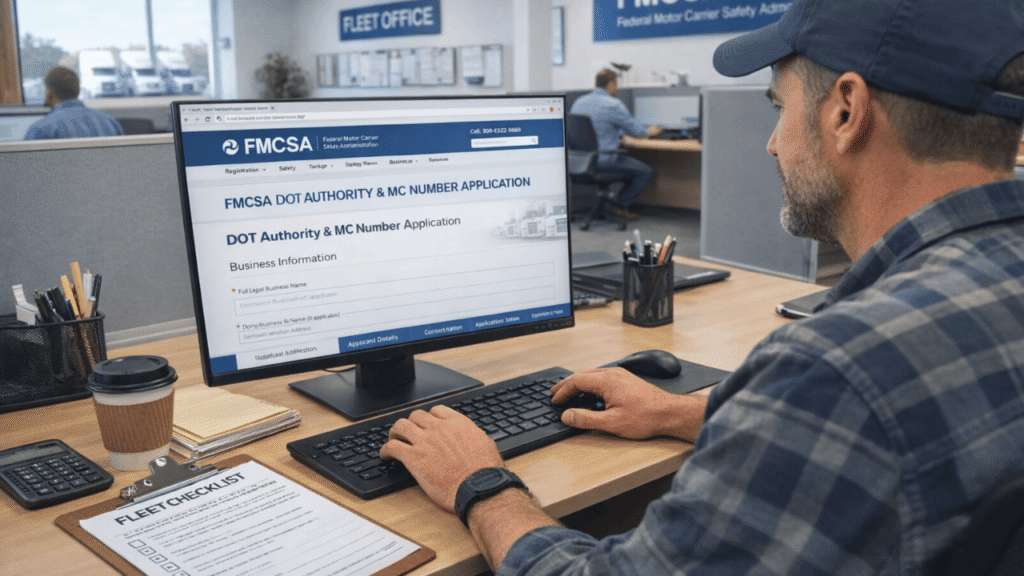
To move freight across state lines for hire, you need two things from FMCSA: a USDOT number and operating authority (your MC number). You can’t legally move a single load without them, and if you do, you could get fined thousands of dollars and have to stop right away.
The FMCSA, or Federal Motor Carrier Safety Administration, is the government agency that oversees commercial trucking in the U.S. It gives you the power to do business, keeps an eye on your safety record, and makes sure that commercial vehicles follow the rules. Getting your DOT authority and MC number is the first real step toward becoming a legal carrier, and this guide will show you exactly how to do it.
Table of Contents
DOT vs. MC Number: What’s the Difference?
People often use these terms interchangeably, but they’re not the same thing.
- USDOT Number — Your USDOT Number is your federal safety ID. FMCSA uses it to keep track of your accident records, safety history, audits, and inspections. If a commercial motor vehicle is used for interstate commerce and has a gross vehicle weight rating (GVWR) of 10,001 pounds or more, it needs one. It doesn’t cost anything to get your USDOT number.
- MC Number (Operating Authority) — This is the legal permission you need to move regulated goods for hire across state lines. It tells you what you can carry and when you can do it. The MC number costs $300 for each type of authority, and that fee is not refundable. So only apply for what you need.
The main difference is that you can have a USDOT number without an MC number (if you’re a private carrier), but you can’t work as a for-hire interstate carrier without both.
Who Does Not Need Operating Authority?
Some companies do not need authority. This includes private carriers hauling their own goods, for-hire carriers hauling only exempt commodities, and carriers that operate only inside a federally recognized commercial zone. That matters because the need to get DOT authority and an MC number depends on how you run the business and what freight you move.
Types of Operating Authority
FMCSA issues different authority types depending on what you haul and how you operate. Only apply for what matches your actual business; over-applying means extra fees and extra compliance requirements, and those fees are non-refundable.
- Motor Carrier of Property (except Household Goods) — For carriers transporting general freight for hire. This is the most common authority type for trucking companies.
- Motor Carrier of Household Goods — Required if you’re moving residential or commercial household goods. Comes with additional consumer protection requirements.
- Broker of Property (except Household Goods) — For companies that arrange transportation of regulated freight without actually operating trucks.
- Broker of Household Goods — For brokers arranging moves of household goods specifically.
- U.S.-based Enterprise Carrier of International Cargo (except Household Goods) — For U.S. companies transporting international freight under their own authority.
- U.S.-based Enterprise Carrier of International Household Goods — Same as above, but specifically for international household goods moves.
Before You Apply: Have This Ready
The fastest way to get your authority is to walk into the application with everything already prepared. Scrambling for information mid-application causes errors, and errors delay the application.
What to gather before you start:
- Legal business name exactly as registered with your state, plus any DBA name
- EIN (Employer Identification Number) — strongly recommended over using a personal SSN, since your registration information becomes publicly visible on FMCSA’s website
- Stable business address, email, and phone number you control long-term (not a dispatcher’s number)
- States where you’ll operate and your operation classification: private vs. for-hire, interstate vs. intrastate
- Cargo categories you actually haul — don’t check every box; select only what applies.
- Vehicle count, type, and GVWR for each power unit
After you submit, you’ll also need a drug and alcohol testing consortium, driver qualification files, a maintenance program, and an ELD or HOS plan. Get those systems in place now so you’re not scrambling once your authority clears.
How to get DOT Authority and MC Number Faster
Step 1: Create or Log In to Your FMCSA Account
Use a dedicated business email address, one you’ll still have in three or more years. Store your login credentials somewhere secure. You’ll need to log back in to renew, correct, and complete biennial updates.
2026 Update: FMCSA is rolling out its new Motus: USDOT Registration System for all carriers in 2026. New and existing registrants will create profiles and manage their authority through Motus when it fully launches. As of now, first-time applicants still use the Unified Registration System (URS). Check fmcsa.dot.gov for the latest portal instructions before starting your application, since FMCSA has not been accepting paper transactions since September 30, 2025.
Also note: first-time applicants must complete an identity verification process, you’ll scan a QR code and pass an ID check (a selfie holding your ID) before your application moves forward.
Step 2: Complete the USDOT Registration
This part tells you what kind of carrier you are. You need to enter your legal name, DBA, business address, phone number, type of business (interstate or intrastate, for-hire or private), and the types of cargo you carry. Don’t rush through this. If you don’t classify your operations correctly, it could cause problems with your insurance filings and broker onboarding later on. Those mismatches are one of the main reasons why authorities get stuck in “Pending” status.
Step 3: Add Operating Authority (MC Number) If You Need It
If your operation requires an MC number, you’ll select your authority type and pay the $300 fee per authority type during this step. The fee is paid directly to the FMCSA and is non-refundable — double-check your selection before submitting. If you need two separate authority types, you’ll pay $300 for each.
Step 4: Submit and Record Everything
Keep your application reference numbers, confirmation page, and login information safe. Set reminders on your calendar for your MCS-150 update (due every 24 months), UCR renewal (due every year), and IFTA filings (due every three months). If you miss these deadlines, your authority may be turned off.
How Much Does It Cost?
- USDOT number — Free
- MC/operating authority — $300 per authority type (non-refundable)
- Third-party filing services — Optional. Some are genuinely helpful for new carriers; others are overpriced upsells. If you use one, make sure it’s not posing as a government site; always verify you’re on .gov before paying anything.
How Long Does the Process Take?
Speed depends on how you file:
- Online (URS/new applicants): Your USDOT number is often issued quickly after a complete online submission. Your MC authority is issued within about 24 hours, but it won’t go Active until FMCSA receives your BOC-3 (process agent) and insurance filing, and a mandatory 20–25 business day protest period must pass. If your application needs further review, add another 8 weeks or more.
- U.S. Mail (existing carriers adding authority): 45–60 business days. This route is slower and should only be used if online filing isn’t available for your situation.
The most common reason authorities stay stuck in “Pending”? A missing BOC-3 filing or insurance that hasn’t been electronically submitted to FMCSA by your insurer. Your insurer must file the BMC-91X directly, a paid policy alone does not activate your authority.
How to Check Your Application Status
Once you’ve applied, here’s how to confirm your authority has been granted:
- Go to FMCSA’s Licensing and Insurance (L&I) website
- Enter your MC number or USDOT number in the search box
- Complete the “I’m not a robot” verification
- Click Search
- When the carrier result appears, click HTML
- Scroll to the bottom and click Authority History
FMCSA usually sends operating authority documents within 3–4 business days after approval. If you have not received them after 10 business days, call 800-832-5660 (8:00 a.m. to 8:00 p.m. ET) or contact them through the web form for help.
Getting Your Authority Is Just the Start
Getting your DOT authority and MC number is the foundation of your trucking business, but it’s only step one. Once your authority goes active, the clock starts on your New Entrant Safety Audit (typically within 12–18 months). That means your driver qualification files, HOS records, drug and alcohol testing program, and vehicle maintenance logs all need to be in order before you haul your first load, not after.
Build compliance into your operation from day one, and you’ll pass that audit with no surprises.
Need Help Getting Your Authority Set Up?
At Welocity, we help new carriers navigate FMCSA registration, BOC-3 filings, insurance coordination, and compliance setup, so nothing falls through the cracks.
Reach out to us at welocity.ca, call +1 905-901-1601, or email info@welocity.ca if you need trucking-related services. Whether it is ELD setup, compliance support, or help with your registration process, Welocity is ready to help.